Nockbone Wiki
Spawn Pip ragdolls, test weapons, explore physics, burn, crush, throw, and swing through chaotic singleplayer or multiplayer sandbox experiments.
Nockbone Wiki Navigation
Jump straight to the section you need — downloads, beginner flow, multiplayer, controls, weapons, maps, Pip physics, and updates.
Download & Platforms
Free itch.io builds for Windows and Android
Beginner Guide
Create a room, spawn Pip, start playing
Multiplayer Guide
Join codes, LAN play, voice and text chat
Controls
Keybinds, generation menu, grappling hook
Weapons & Tools
Guns, explosives, medical and cleanup gear
Maps & Activities
Facility, Tower, Frogger, train and space
Pip Physics
Soft-body ragdoll and injury systems
Updates
Devlogs, patch notes and new features
Latest Updates
Discover the newest guides, tips, and content
Nockbone Anemonei: Beginner Setup Guide and Tips
Learn how to download, set up, and play Nockbone Anemonei with beginner controls, multiplayer steps, Pip physics tips, maps, and safety notes.
Nockbone demo: Step-by-Step Setup and Sandbox Tips
Learn how to start the Nockbone demo, spawn Pip, use sandbox tools, join multiplayer sessions, and handle early-build limitations.
Nockbone devlog: 2026 Update Notes & Patch Guide
Track the Nockbone devlog with 2026 patch notes, version changes, mobile support, multiplayer updates, new weapons, and early-build warnings.
Nockbone early access: Setup Guide, Build Status & Tips
Learn how Nockbone early access works, where to download the current test build, what it includes, and how to handle unstable multiplayer features.
Nockbone updates: 2026 Patch Notes & Feature Guide
Track Nockbone updates from 2026, including version 1.0.3.6a, mobile support, multiplayer changes, new weapons, maps, fixes, and known issues.
Nockbone download: 2026 Step-by-Step Setup Guide
Learn how to download Nockbone from itch.io, choose the Windows or Android build, install the early test version, and troubleshoot common issues.
Nockbone free: Official Download and Setup Walkthrough
Find the official Nockbone free download, current Windows and Android files, installation steps, multiplayer setup, and early-build troubleshooting tips.
Nockbone game: Beginner Setup Guide, Maps & Tips
Learn how to start the Nockbone game, download the current build, spawn Pip, use sandbox tools, join multiplayer, and handle early-test limitations.
Nockbone install: Step-by-Step Windows & Android Guide
Learn how to install Nockbone from the official itch.io page on Windows or Android, verify files, launch the build, and troubleshoot common issues.
Nockbone itch io: Setup Guide for Pip Sandbox Play
Learn how to download Nockbone from itch.io, spawn Pip, use sandbox tools, join multiplayer sessions, and handle early-build limitations.
Nockbone mac: Platform Status & Safe Access Guide
Nockbone mac status explained: check official platform support, Windows and Android builds, compatibility limits, and safe access steps.
Nockbone system requirements: Official Setup Guide
Check the officially listed Nockbone platforms, download sizes, input support, early-build limitations, and practical setup checks for Windows and Android.
Nockbone Download & Platforms
Nockbone is available as a free early test build through its official itch.io page. Download options, supported platforms, and included files may change as development continues.
Use the official Nockbone itch.io page to access the current free download and installation files. Because the game is still in early testing, always use the platform and version information shown with the current build.
Free itch.io Download
Open the official Nockbone page on itch.io and use the download option provided for the current build.
Open Nockbone on itch.ioCurrent Platform Builds
Choose the platform package listed for the current release. Available platforms and downloadable files can change as new test builds are published.
View Available BuildsInstall the Test Build
Download the appropriate archive or installer, extract or install the files, and launch the game from the included executable or application.
View Download OptionsEarly Test Version
Nockbone is in early development, so the version number, platform support, included content, and installation files may change between updates.
Check the Current VersionNockbone Beginner Guide
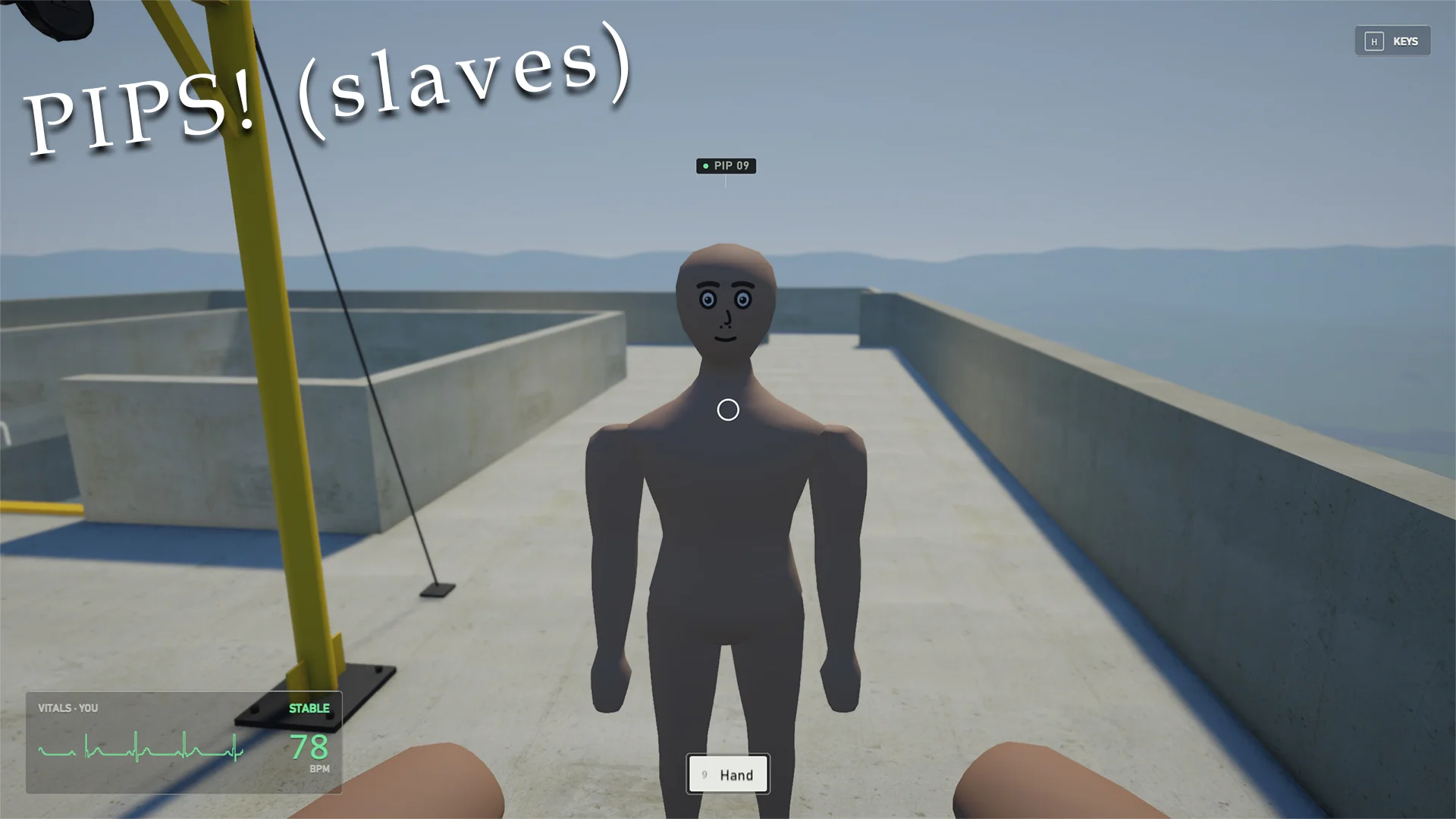
Create a room, enter the map, open the generation menu, and spawn Pip to begin interacting with the world.
The fastest way to start is to create a room and use the generation menu once you are inside the map. This basic flow gets a new player into the playable space without relying on undisclosed missions or unreleased systems.
Create a Room
Start the game and choose the option to create a room. Configure the room using the options available in the current build, then confirm to begin the session.
Enter the Map
After the room is created, enter the available map or playable space. Wait for the environment to finish loading before interacting with objects.
Open the Generation Menu
Use the current in-game control for the generation menu. The menu is the main interface for creating available entities and objects.
Generate Pip
Find Pip in the generation menu and select it to create Pip in the map. Once spawned, approach Pip and begin experimenting with the available interactions.
Nockbone Multiplayer Guide
Create a room, invite players with a join code or LAN connection, and use voice or text chat while exploring together.
Nockbone supports room-based multiplayer features including join codes, LAN play, voice chat, and text chat. Multiplayer is still in early development, so sessions may include latency, desynchronization, disconnects, or unexpected behavior.
Create a Multiplayer Room
Choose the room creation option and start a session for other players to join. Keep the room open while you share the available connection information.
Share the Join Code
Give your friends the room's join code and have them enter it through the multiplayer join flow.
Connect Through LAN
For players on the same local network, use the LAN multiplayer option shown in the current build to discover or connect to the host session.
Use Voice and Text Chat
Communicate with other players through the available voice chat and text chat features while sharing the room.
Expect Early Multiplayer Behavior
Multiplayer sessions may experience latency, different object states between players, disconnections, or other abnormal behavior while the networking systems continue to develop.
Nockbone Controls & Interaction
Use keyboard and mouse controls to navigate the world, open the generation menu, use the grappling hook, operate vehicles, and experiment with physics.
Nockbone uses keyboard and mouse input for movement and interaction. The exact key bindings should be checked in the current in-game settings because controls may change during early development.
Move and look around
Keyboard and mouse
Use the current movement and camera bindings shown in the in-game settings to navigate the map.
Open the generation menu
In-game key binding
Open the menu to select available entities and objects, including Pip.
Use the grappling hook
In-game key binding
Use the grappling hook to connect to reachable surfaces or objects and experiment with movement.
Enter and operate vehicles
Interaction and movement bindings
Interact with available vehicles, then use the current driving or movement controls shown by the game.
Move through space
Keyboard and mouse
Use the available movement controls to navigate space and adjust your position around objects.
Interact with physical objects
Mouse and interaction bindings
Grab, move, launch, and otherwise experiment with objects and spawned entities using the available physics interactions.
Nockbone Weapons & Sandbox Tools
Explore the public selection of weapons and sandbox equipment available in Nockbone. The exact roster may continue to change as development progresses.
Nockbone combines combat equipment with physics-driven sandbox tools. Publicly presented equipment includes firearms, melee weapons, explosives, incendiary tools, medical equipment, cleanup tools, and construction devices, allowing players to experiment with Pip physics and interactive environments.
Guns
Firearms form one of the core equipment categories in Nockbone, providing ranged combat options for testing weapon reactions, injury systems, and environmental interactions.
Melee Weapons
Close-range weapons can be used to explore direct physical impact, body damage, knockback, and the reaction of Pip's simulated body.
Explosive Equipment
Explosives create area effects and strong physical reactions, making them suitable for testing destruction, injury, and object interactions in sandbox scenes.
Fire and Incendiary Equipment
Incendiary tools interact with the game's fire and burn systems, creating scenarios involving heat, burning, and ongoing damage.
Medical Gear
Medical equipment supports experiments involving injury treatment, bleeding, bodily damage, and Pip's broader injury simulation systems.
Cleanup Equipment
Cleanup tools are designed for managing the aftermath of sandbox experiments and helping players reset or maintain an experimental scene.
Building and Construction Tools
Construction devices support player-created setups, obstacles, experiments, and interactive scenarios within the sandbox environment.
Nockbone Maps & Activities
Nockbone's public maps provide different settings for multiplayer experiments, physics interactions, and sandbox activities.
The publicly presented map selection includes industrial facilities, vertical structures, arcade-style hazards, moving vehicles, and space environments. Each location emphasizes a different type of multiplayer experimentation, from cranes and trains to traffic, zero gravity, and space-station scenarios.
Facility
Industrial environmentA facility-style setting for testing weapons, tools, Pip interactions, and environmental objects in an industrial space.
Tower
Vertical environmentA tower environment focused on vertical spaces, elevation, movement, and experiments involving structures and falling objects.
Frogger
Traffic-focused environmentA traffic-oriented map built around vehicle movement and hazardous crossings, offering a setting for multiplayer tests involving timing and transportation.
Moving Train
Vehicle environmentA map centered on a moving train, allowing players to experiment with motion, confined spaces, falling, and interactions between Pip and a moving vehicle.
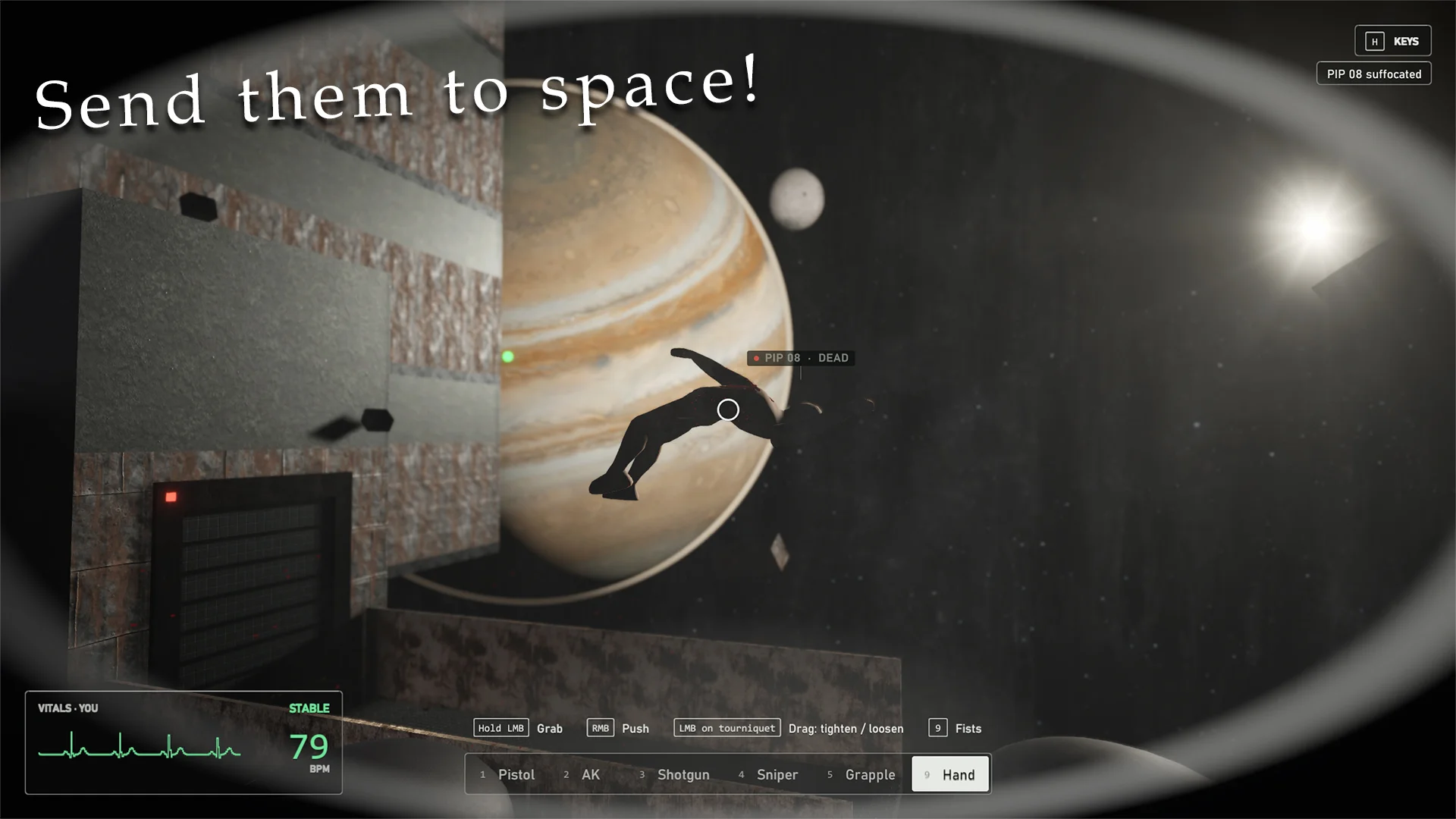
Lost In Space
Space environmentA space-themed environment featuring zero-gravity and space-station-style scenarios for testing movement, collisions, and multiplayer experimentation.
In-Development Content
Unfinished contentSome maps and activities remain under development. They should be treated as unfinished content rather than confirmed final parts of the public game.
Nockbone Pip Physics & Injury Systems
Pip uses soft-body ragdoll and body simulation systems that make impacts, injuries, and environmental hazards visibly reactive.
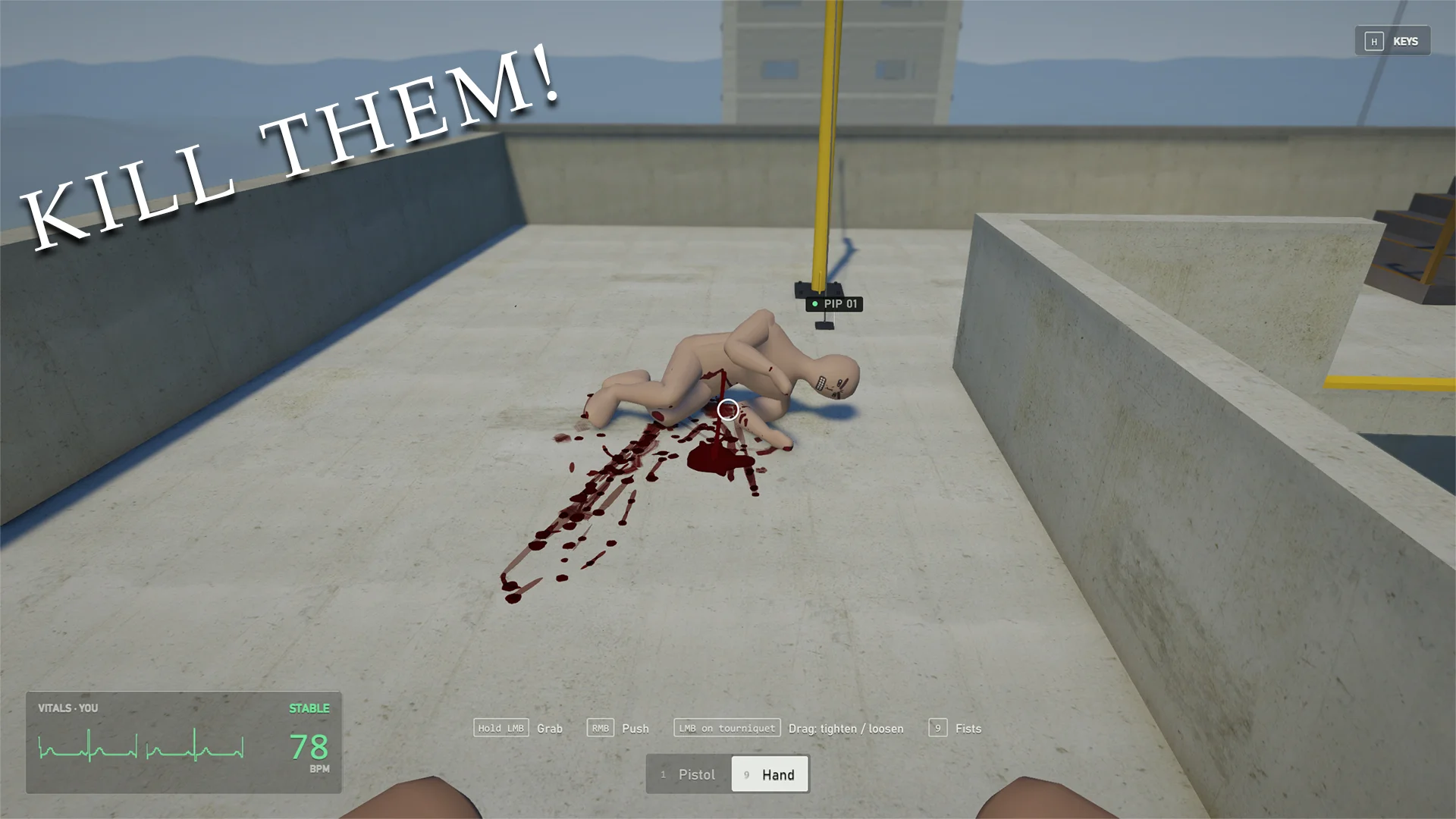
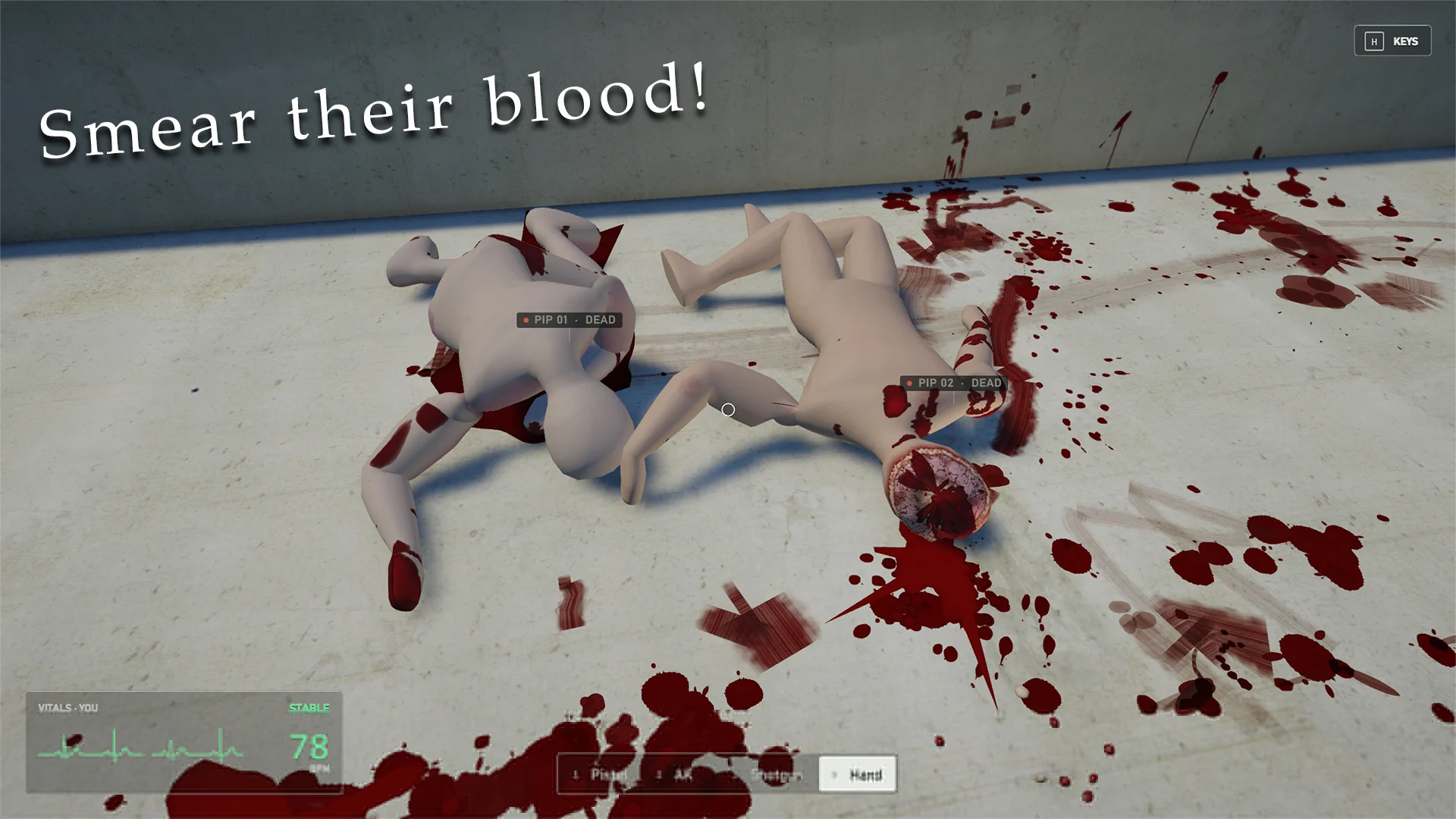
Nockbone presents Pip as a physically simulated character whose body can react to force, hazards, and damage. The game includes graphic violence and gore, including injuries such as fractures, bleeding, burns, suffocation, concussion, infection, limb damage, and dismemberment. This content warning describes the game's violence without classifying it as an adult-only game.
Nockbone Updates & Patch Notes
Follow official development posts, newly added features, known issues, and content that is still being built.
Nockbone remains in very early development. Official development logs document changes to the game and its experimental systems, while the public game page provides the current overview of available content. Test builds and development previews should not be treated as final promises about the completed game.
Very Early Development
Nockbone is still in very early development, so its features, maps, tools, and systems can continue to change during production.
Devlog Feature and Progress Updates
Official devlog posts provide the main record of development progress, newly added features, changes to existing systems, and previews of future work.
Maps, Equipment, and Physics Features
Updates can expand the public selection of maps, weapons, sandbox tools, Pip physics systems, injury systems, and multiplayer experiments.
Experimental Features and Bugs
Because the game is in an early development stage, experimental features, temporary bugs, balance problems, and incomplete systems may appear in public builds.
Maps and Features Still Being Built
Some content shown during development may remain unfinished or unavailable in the main public experience. Development previews should be clearly separated from completed public content.
Patch Notes and Version Keywords
The official development log is the central place to follow update posts, patch changes, feature additions, and other version-related information as Nockbone evolves.